Poker Analyzer Frequency and Channel Settings – Avoiding Interference in Crowded Environments
最后更新于:2026-06-30 14:27:33
Wireless communication is the backbone of every poker analyzer system. From the scanner camera transmitting card data to the processing unit, to the analyzer sending results to the hidden earpiece, every step relies on wireless signal transmission. In crowded environments — poker rooms with multiple tables, venues with heavy Bluetooth device density, or situations where multiple analyzer users operate simultaneously — interference becomes the single greatest threat to reliable performance. This article provides a comprehensive technical guide to frequency bands, channel configurations, encryption protocols, and troubleshooting methods that keep your poker analyzer system functioning when the wireless environment gets hostile.
Wireless Frequency Bands Used by Poker Analyzers
Scanner-to-Analyzer Communication
Proprietary RF Channels. Mid-range models — CVK 350, CVK 600, AKK A1 through A3 — use proprietary RF communication in the 433 MHz or 868/915 MHz ISM bands:
– 433 MHz (Asian market): Good obstacle penetration but limited bandwidth (1–5 kbps), sufficient for card identity transmission only.
– 868/915 MHz (export markets): Higher data rates (5–10 kbps), less congested in most regions.
Proprietary RF protocols are manufacturer-specific with custom modulation, encoding, and timing. A CVK scanner cannot communicate with an AKK analyzer even on the same frequency. This proprietary design provides inherent security against casual interception — standard RF receivers cannot decode the transmissions.
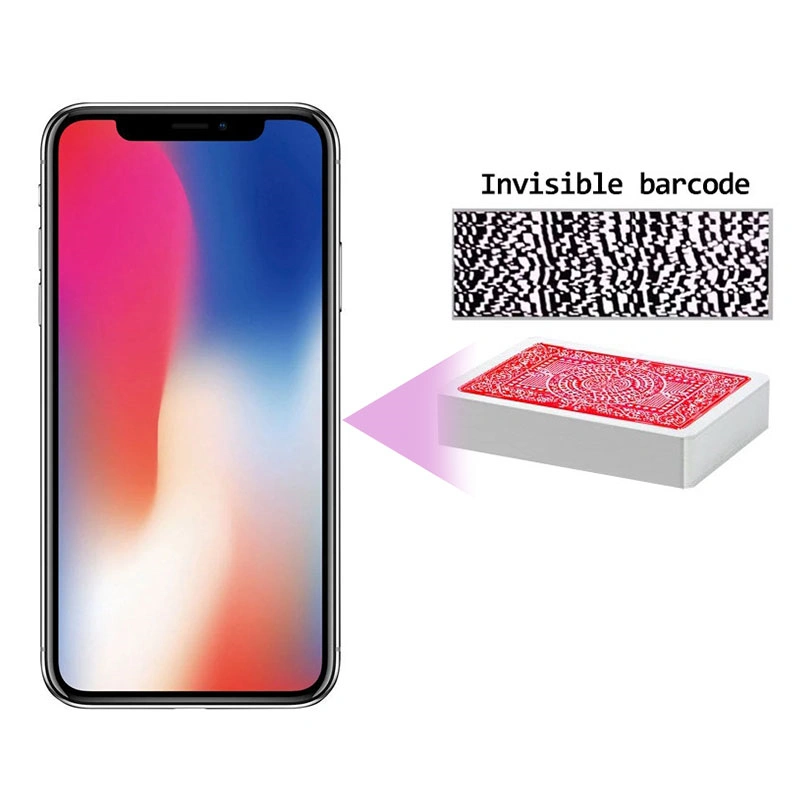
2.4 GHz Bluetooth. High-end models — CVK 800 series, AKK A5 — use Bluetooth for scanner communication, offering higher throughput (up to 3 Mbps Classic, 2 Mbps BLE), standardized pairing and AES-CCM encryption, and adaptive frequency hopping across 79 channels (Classic) or 40 channels (BLE) that mitigates interference by shifting channels up to 1600 times per second. The disadvantage is congestion susceptibility — the 2.4 GHz band is shared with Wi-Fi, other Bluetooth devices, and numerous consumer electronics.
Analyzer-to-Earpiece Communication
This is the most interference-sensitive path because it delivers the final game result.
Bluetooth Earpiece: Most modern systems use a 2.4 GHz Bluetooth hidden earpiece, creating potential in-band interference between the scanner and earpiece links within the same device.
Proprietary RF Earpiece: AKK series models use a separate sub-GHz RF link (433 MHz or manufacturer-specific), separating earpiece and scanner frequencies to eliminate in-band interference within a single system.
Wired Earpiece: A zero-interference alternative using a thin cable through clothing. Eliminates wireless interference for result delivery but restricts mobility and is slightly harder to conceal.
Channel Configuration and Switching
CVK Series Channel Settings
CVK 350: 4 scanner RF channels (Ch1–Ch4, ~200 kHz spacing in 433 MHz), 4 earpiece Bluetooth channel groups. Manual menu switching takes ~2 seconds, briefly interrupting scanning.
CVK 600: 8 scanner RF channels (433/868 MHz depending on market), 8 earpiece Bluetooth groups. Manual selection plus an automatic channel scanning tool that evaluates interference and recommends the clearest option.
CVK 800: Bluetooth scanner with automatic adaptive hopping (no manual selection needed). 16 earpiece Bluetooth channel groups plus BLE mode with 40-channel hopping. Includes a real-time 2.4 GHz spectrum analysis tool showing congestion levels and recommending the clearest earpiece channel group.

AKK Series Channel Settings
AKK A1/A3: Fixed scanner RF channel (no user selection). 4 earpiece RF channels (~250 kHz spacing). Physical button cycling with audio confirmation tone in the earpiece.
AKK A5: Bluetooth scanner with automatic hopping. 8 earpiece RF channels plus 8 Bluetooth earpiece groups. Supports simultaneous dual-mode — proprietary RF as primary and Bluetooth as backup, with automatic fallback switching in 1–2 seconds if the primary channel experiences interference.
How to Switch Channels When Experiencing Interference
1. Identify the affected path — scanner channel (cards not read) or earpiece channel (results unclear).
2. Switch to the adjacent channel — interference often affects a narrow frequency range; moving 200–250 kHz away may resolve it.
3. Test one hand for improvement. If the problem persists, continue cycling through channels.
4. Lock the clear channel for the remainder of the session.
CVK 800 users can use the spectrum analysis tool for direct channel selection rather than manual cycling.
Multi-User Scenarios: Multiple Analyzers in the Same Room
Same-Brand Interference
Proprietary RF Systems (CVK 350/600, AKK A1/A3): Two units on the same scanner channel will directly interfere — each analyzer receives mixed data producing incorrect results. Resolution: each user selects a different channel. With 4 channels, 2–3 units can operate with coordination; 4+ units experience degradation regardless.
Bluetooth Systems (CVK 800, AKK A5): Bluetooth adapts within each piconet but does not coordinate between separate piconets. Two units may independently select overlapping frequency hopping channels. Resolution: assign different earpiece channel groups, forcing each connection to prioritize different 2.4 GHz channel subsets, reducing overlap probability from ~40% to under 5% poker card analyzer.
Cross-Brand Interference
CVK and AKK proprietary RF links do not interfere across brands (different modulation schemes on different frequency bands, incompatible protocols, negligible raw RF energy overlap). However, both brands’ Bluetooth earpiece links share 2.4 GHz and can interfere — resolved by assigning different earpiece channel groups.
Channel Assignment Protocol
1. Each user claims a unique scanner channel (RF systems) or accepts automatic Bluetooth allocation.
2. Each user claims a unique earpiece channel group — this is the critical coordination step.
3. Notify each other of assignments before the session begins.
4. Do not change channel groups during the session without notifying others.
5. If channel capacity is exceeded, prioritize users with the strongest need; others accept intermittent interference or switch to wired earpiece mode.
Signal Encryption and Anti-Interception
Bluetooth Encryption
Bluetooth Classic uses Secure Simple Pairing with 128-bit AES-CCM encryption. BLE uses AES-CCM with 128-bit keys in LE Security Mode 1 Level 3/4. Encryption protects data content but does not hide communication presence — a Bluetooth scanner can detect paired devices, MAC addresses, and signal timing without decrypting payloads. In venues with Bluetooth monitoring, analyzer connections may be detectable regardless of encryption.
Proprietary RF Encryption
CVK uses custom XOR-based scrambling with a session key derived from channel number and a manufacturer seed value — not cryptographic-grade encryption, primarily preventing cross-brand decoding. AKK uses similar scrambling with a rolling code element that changes the pattern every transmission burst, making pattern analysis more difficult.
Practical assessment: Both approaches provide reasonable protection against casual interception (standard receivers cannot decode them). They do not resist a determined attacker with protocol analysis equipment and manufacturer knowledge. This level is adequate for most scenarios — the pool of people with both equipment and knowledge to intercept poker analyzer RF transmissions is extremely small.
Anti-Detection Practices
1. Minimize transmission duration — use burst mode (transmit once per hand) rather than continuous mode.
2. Use lowest effective transmission power — at +4 dBm Bluetooth is detectable at ~10 meters; at 0 dBm the radius drops to 3–5 meters.
3. Position analyzer close to earpiece — same-side pocket, 0.5–1.5 meter communication distance.
4. Use wired earpiece when possible — eliminates the most detectable wireless component entirely.
Troubleshooting Audio Dropout and Signal Loss
Audio Dropout
Intermittent results (some hands correct, others missing):
– Cause: Channel congestion from another device intermittently occupying your frequency.
– Solution: Switch earpiece channel group; use CVK 800 spectrum analysis for optimal selection.
Garbled output (distorted, unclear, or incorrect values):
– Cause: Co-channel interference — another device transmitting simultaneously on your channel.
– Solution: Switch channels immediately. Garbled output indicates active interference — do not continue on the current channel.
– Alternative cause: Pairing error — earpiece paired with a different device. Solution: Unpair from all devices, re-pair exclusively with your analyzer.
Static or continuous noise instead of clear results:
– Cause: Broadband RF interference from a strong local source (microwave, wireless PA system, venue microphone system).
– Solution: Cannot be resolved by channel switching alone. Move away from the interference source physically. Switch to wired earpiece mode. If scanner is also affected, the system may be unusable at this location.
Signal Loss
No scanner input (scanning indicator inactive):
– Channel mismatch between scanner and analyzer — verify both are on the same channel.
– Scanner battery depleted — charge or replace; verify phone charge for integrated scanners.
– Scanner out of range — proprietary RF effective range is 3–5 meters; Bluetooth is 3–10 meters. Reduce communication distance.
Analyzer processes but no earpiece result:
– Earpiece pairing lost — re-pair via analyzer pairing mode and earpiece pairing button.
– Earpiece not properly seated — reinsert in the correct ear; verify full seating in the ear canal.
Pre-Session Interference Assessment
Before operating in any new venue:
1. Survey Bluetooth environment with a phone Bluetooth scanner app. 15–20 active devices indicates moderate congestion; 30+ indicates significant congestion requiring careful channel selection.
2. Check for strong RF sources — wireless microphones, PA systems, high-power Wi-Fi routers, kitchen equipment.
3. Test each available channel before play — cycle through options and note which perform well.
4. Coordinate with other known analyzer users on channel assignments.
5. Prepare fallbacks — wired earpiece, backup analyzer, spare batteries.
FAQ
Q: Can Wi-Fi networks interfere with my analyzer’s Bluetooth communication?
A: Yes. Wi-Fi operates in the same 2.4 GHz band at much higher transmit power. A Wi-Fi router on Channel 6 (2437 MHz) creates interference across ~20 MHz, affecting roughly 8 Bluetooth channels. Bluetooth’s adaptive hopping mitigates this by avoiding Wi-Fi-occupied channels, but multiple Wi-Fi access points covering different channels can limit available clear channels. If experiencing persistent dropout, switch your earpiece channel group to one prioritizing channels at the band edges (above 2460 MHz or below 2405 MHz) where Wi-Fi overlap is minimal.
Q: How many analyzers can operate in the same room without interference?
A: Proprietary RF systems with 4 channels support 2–3 units with careful coordination. Bluetooth systems with 8–16 channel groups support up to 8 units with assigned groups, though performance degrades above 4–5 units in practice. Beyond these limits, some users must accept intermittent interference or use wired earpieces.
Q: What should I do if earpiece audio suddenly stops during a session?
A: Check earpiece battery first (most common cause). If battery is adequate, switch earpiece channel group. If channel switching fails, re-pair the earpiece. If re-pairing fails, switch to wired earpiece backup. Never visibly remove and reinsert the earpiece at the table — do troubleshooting during a break away from other players.
Q: Is it possible for someone to intercept my analyzer’s wireless transmissions?
A: Theoretically yes, but practically very unlikely. Bluetooth uses 128-bit AES encryption preventing data decryption without the pairing key. Proprietary RF uses manufacturer scrambling preventing decoding by standard receivers. However, Bluetooth communication presence is detectable by scanning equipment regardless of encryption content. Proprietary RF at sub-GHz frequencies is harder to detect due to lower power and non-standardized protocols requiring specialized equipment.
Q: Does analyzer-to-earpiece distance affect interference susceptibility?
A: Yes. At 1 meter the signal is approximately 20 times stronger than at 5 meters (inverse square law), providing significantly more interference margin. Position the analyzer in a same-side pocket as the earpiece ear, maintaining 0.5–1.5 meters communication distance for optimal resistance to interference.